💳 transactions
v1
Wealthsimple Chequing Account
Template for Wealthsimple Cash (chequing/savings) account CSV exports.
Where to export
Institution
Wealthsimple
Export path
Log In -> Documents -> Download CSV
Export Instructions
Wealthsimple Chequing Account CSV (v1)
Best for
Wealthsimple Cash (chequing/savings) account transaction exports with these columns:
datetransactiondescriptionamountbalancecurrency
How to export
- Log into Wealthsimple
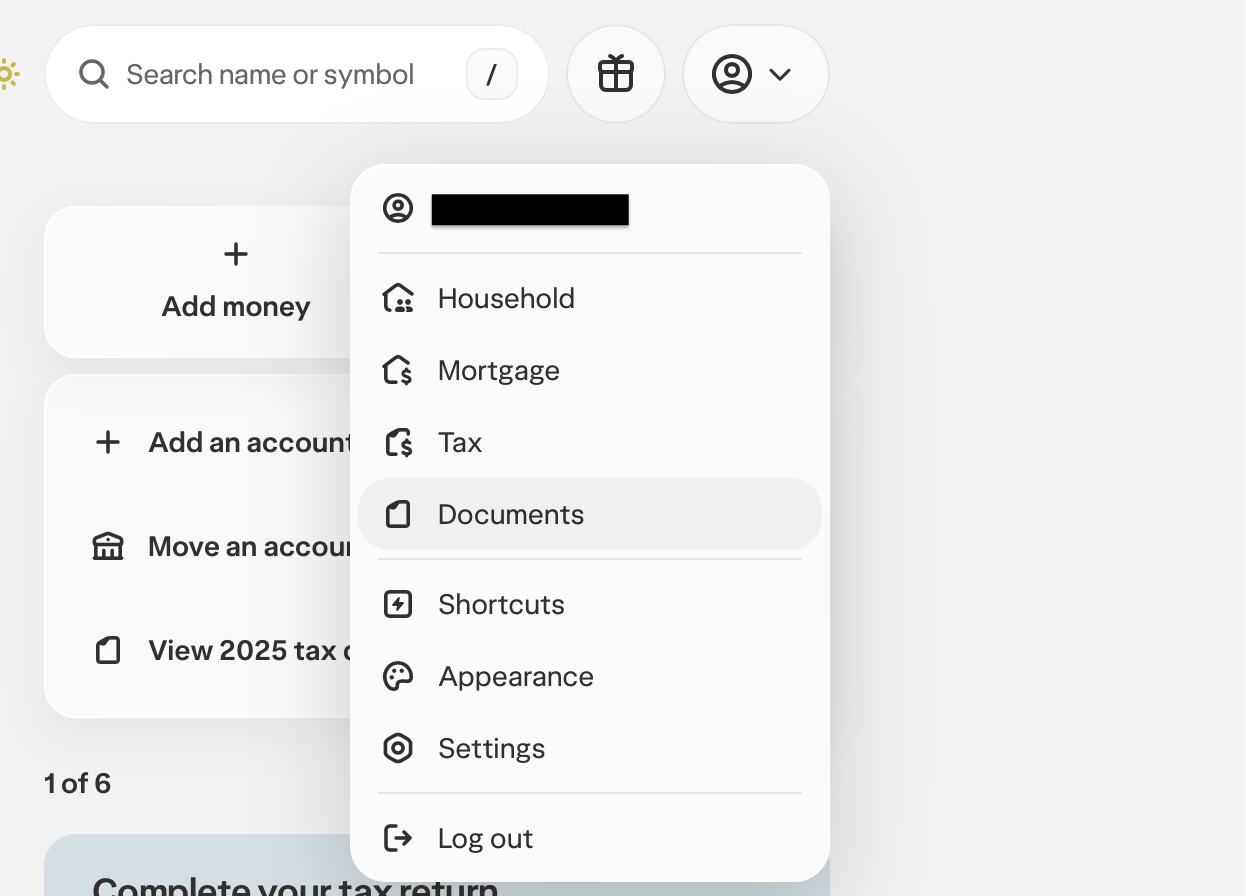
- Click your profile icon and select Documents from the dropdown
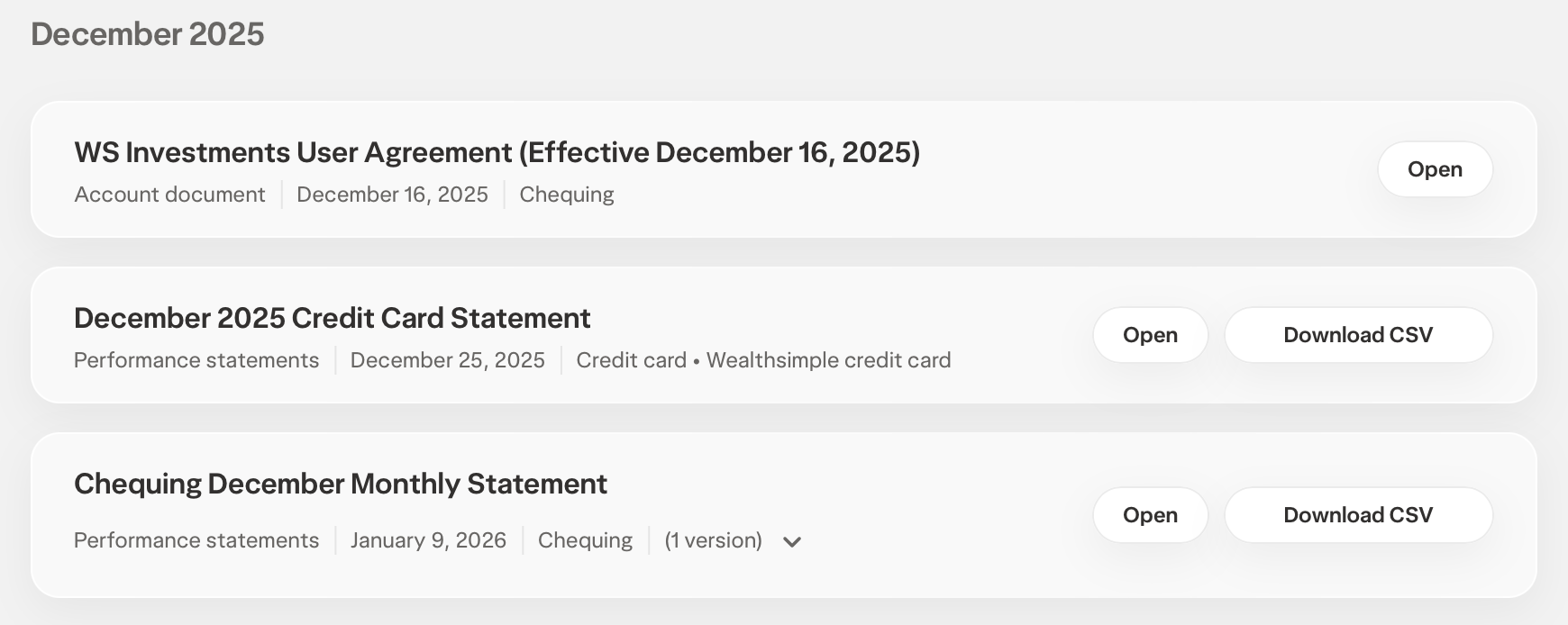
- Find your Chequing Monthly Statement and click Download CSV
Notes
- SpendSeer negates the exported bank-style amounts so outflows import as positive expenses and inflows import as negative amounts pending category-aware handling.
- The
transactioncolumn contains short type codes (e.g.AFT_IN,OBP_OUT,E_TRFIN,INT) — category rules can usedescriptionfor classification. balanceis ignored during import.
Column mapping
| Your CSV column | SpendSeer field | |
|---|---|---|
amount | → | Amount |
date | → | Date |
description | → | Description |
Tip: No source category column is mapped. SpendSeer category rules classify transactions from description by default.
Example CSV
Download| date | transaction | description | amount | balance | currency |
| 2026-01-01 | INT | Interest earned | 9.16 | 6105.94 | CAD |
| 2026-01-02 | OBP_OUT | Online bill payment for BMO MASTERCARD | -959.86 | 4798.89 | CAD |
| 2026-01-15 | AFT_IN | Direct deposit from SHOPIFY INC. | 2000.0 | 4483.95 | CAD |
| 2026-01-28 | E_TRFOUT | Interac e-Transfer Out | -2000.0 | 4008.95 | CAD |