💳 transactions
v2
Wealthsimple Credit Card
Template for Wealthsimple credit card statement CSV exports.
Where to export
Institution
Wealthsimple
Export path
Log In -> Documents -> Download CSV
Export Instructions
Wealthsimple Credit Card Statement CSV (v2)
Best for
Official Wealthsimple credit card statement exports with these columns:
transaction_datepost_datetypedetailsamountcurrency
How to export
- Log into Wealthsimple
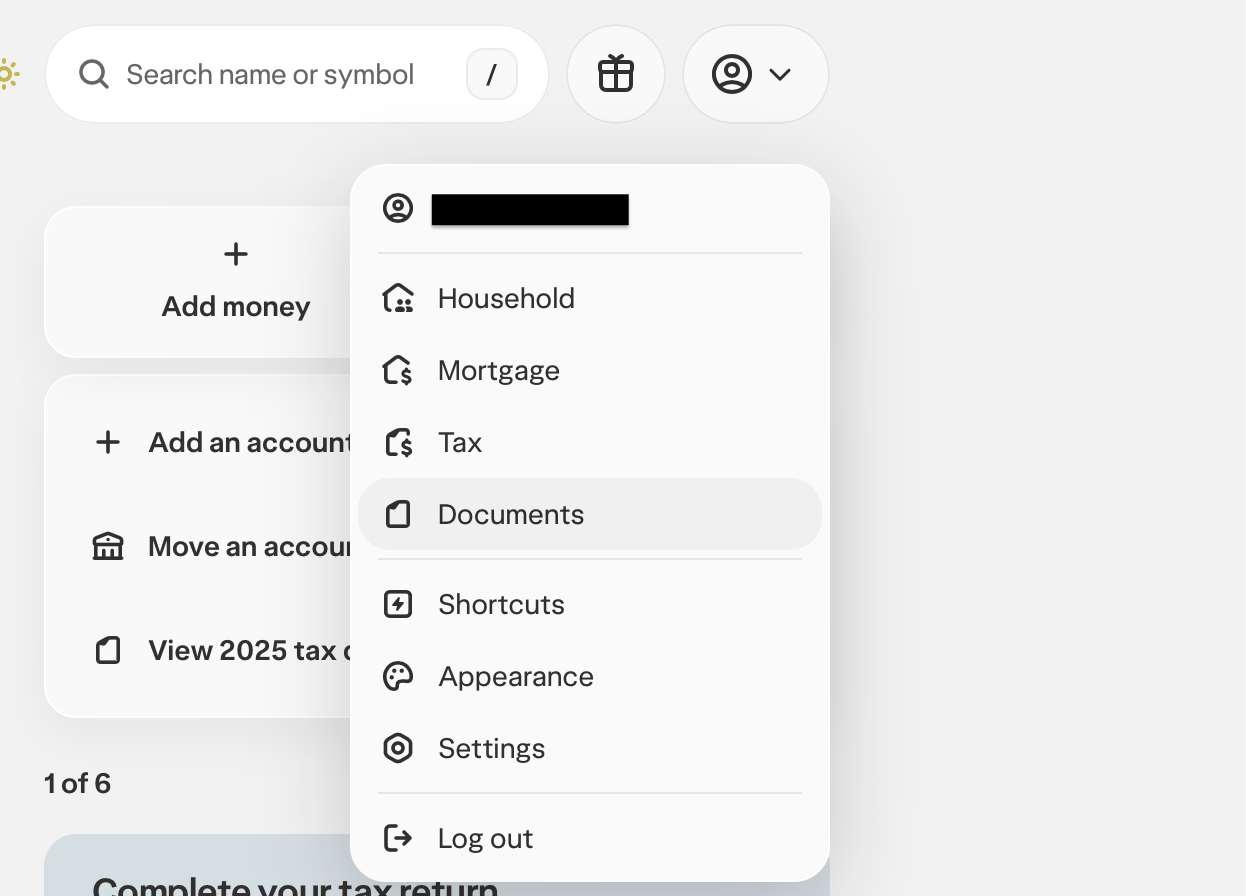
- Click your profile icon and select Documents from the dropdown
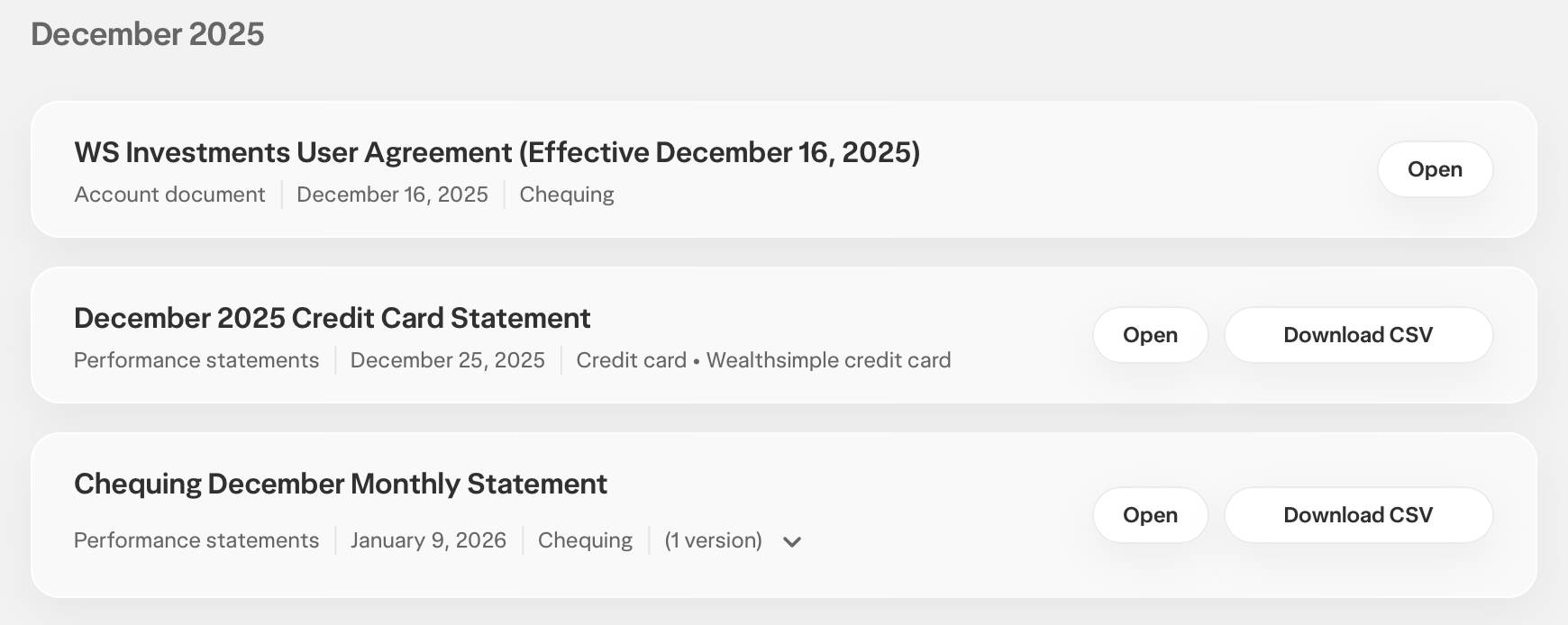
- Find your Credit Card Statement and click Download CSV
Notes
transaction_dateis used as the import date.- Amounts are already signed correctly for SpendSeer imports: purchases are positive and refunds are negative.
- No category column is mapped; use category rules to categorize.
Paymentrows may appear and can be removed before import or skipped with skip rules if you do not want card payments included.
Column mapping
| Your CSV column | SpendSeer field | |
|---|---|---|
amount | → | Amount |
transaction_date | → | Date |
details | → | Description |
Tip: No source category column is mapped. SpendSeer category rules classify transactions from description by default.
Example CSV
Download| transaction_date | post_date | type | details | amount | currency |
| 2025-12-25 | 2025-12-25 | Purchase | AMAZON.CA*XU4H836R3 | 200.00 | CAD |
| 2026-01-16 | 2026-01-16 | Refund initiated | AMAZON* CD5QV5FX3 | -15.70 | CAD |
| 2026-01-14 | 2026-01-14 | Payment | From chequing account | -4214.94 | CAD |